Create a Virtual Screen Effect Template
One of the exciting effects in Bolide Movie Creator is the Virtual Screen: your video (or photo) plays inside another picture — on a TV screen, a phone, a picture frame on the wall or a billboard. The virtual screen is an arbitrary quadrilateral into which the program fits your video, so the screen can even be drawn in perspective. The program comes with ready-made templates, and you can create your own from any picture.
Apply a ready-made virtual screen
-
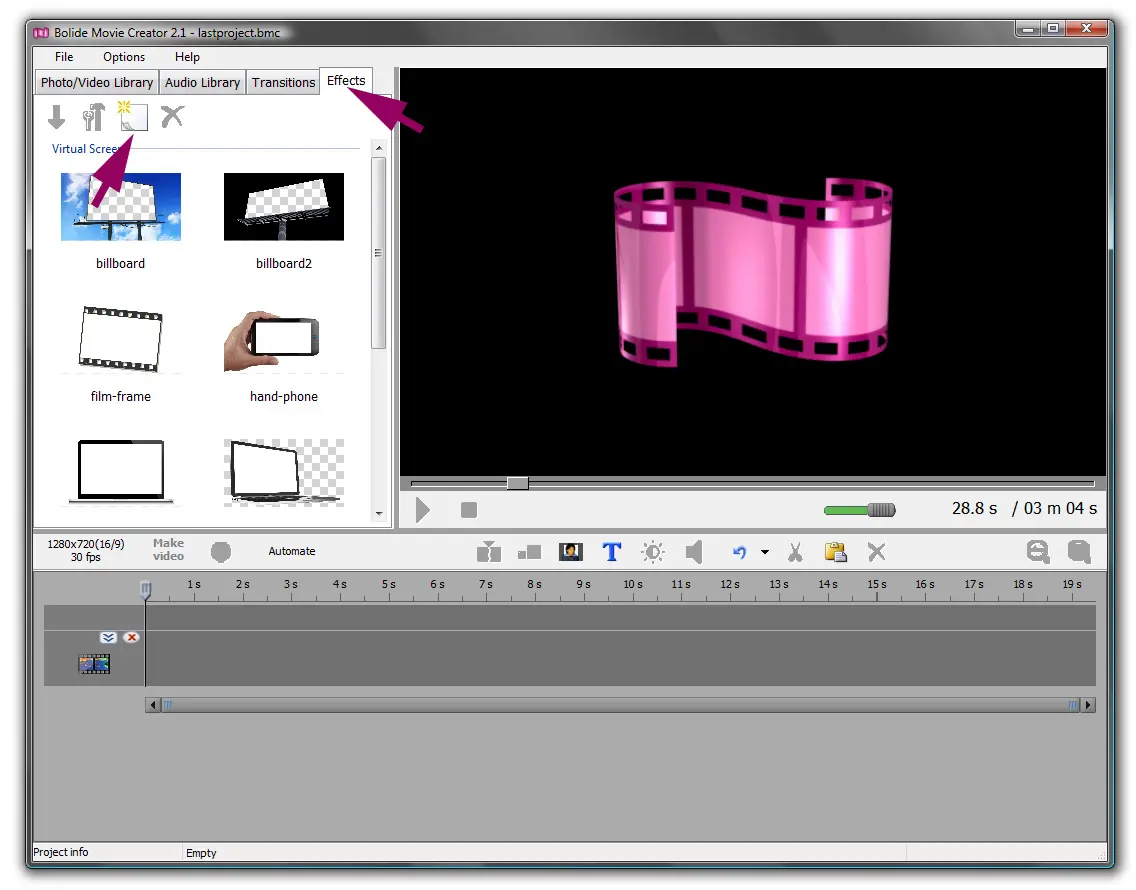
Open the More tab. It holds the Virtual Screen list of templates.
-
Select one or several video or photo blocks on the timeline, click a template tile and then click Apply effect to selection on the tab's toolbar. You can also simply drag the tile onto a block. If several blocks are selected, the effect is applied to all of them. Your video (or image) will now be seen inside the template image. This effect is sometimes referred to as "picture-in-picture".
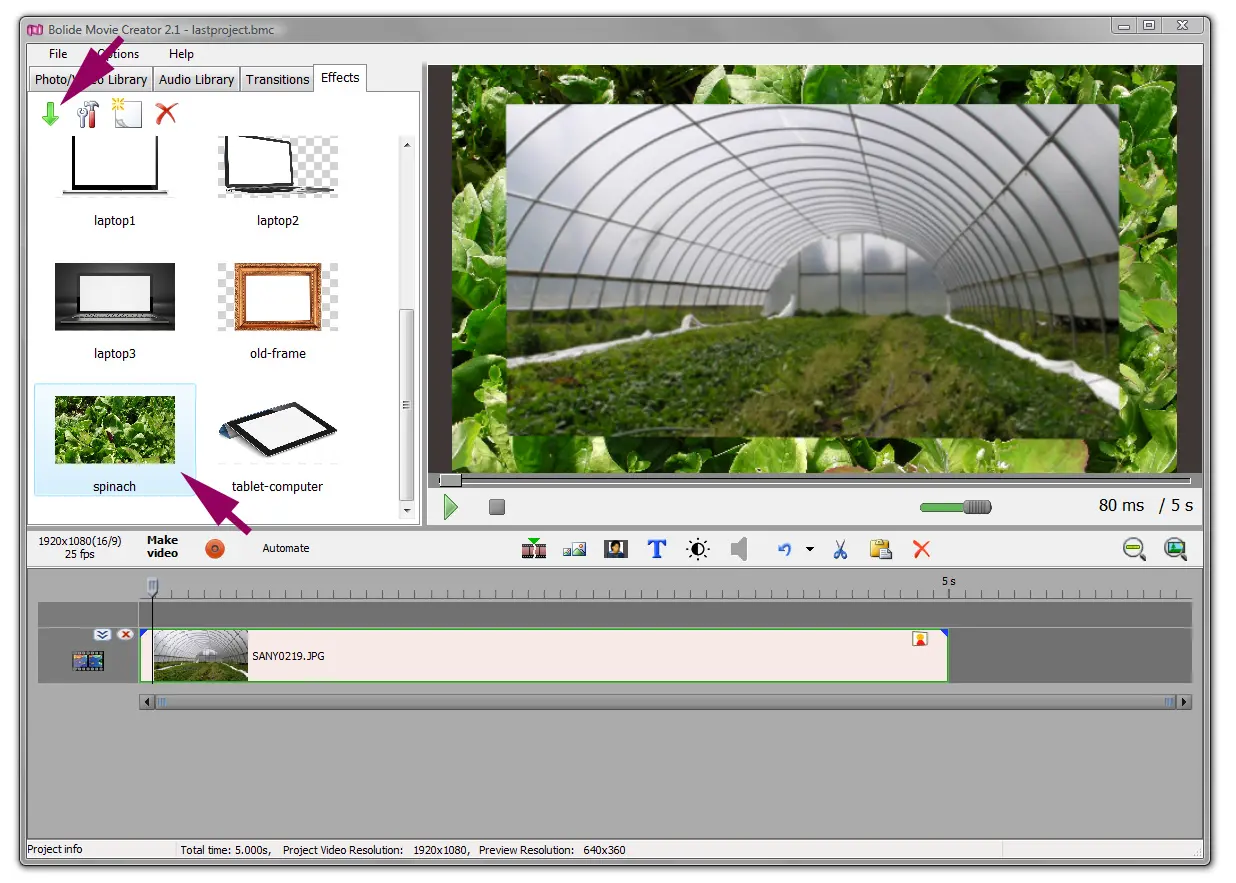
- To remove the effect from a block, click the small effect icon in the upper right corner of the block and choose Delete this effect.
Create your own template
- Prepare a picture in PNG, JPG or WEBP format. In the usual mode any picture will do, because the video is drawn on top of it. If parts of the picture should cover the video (for example, a phone body around a transparent screen, or a frame with rounded corners), use a PNG or WEBP with transparency and turn on Image over the video (see below).
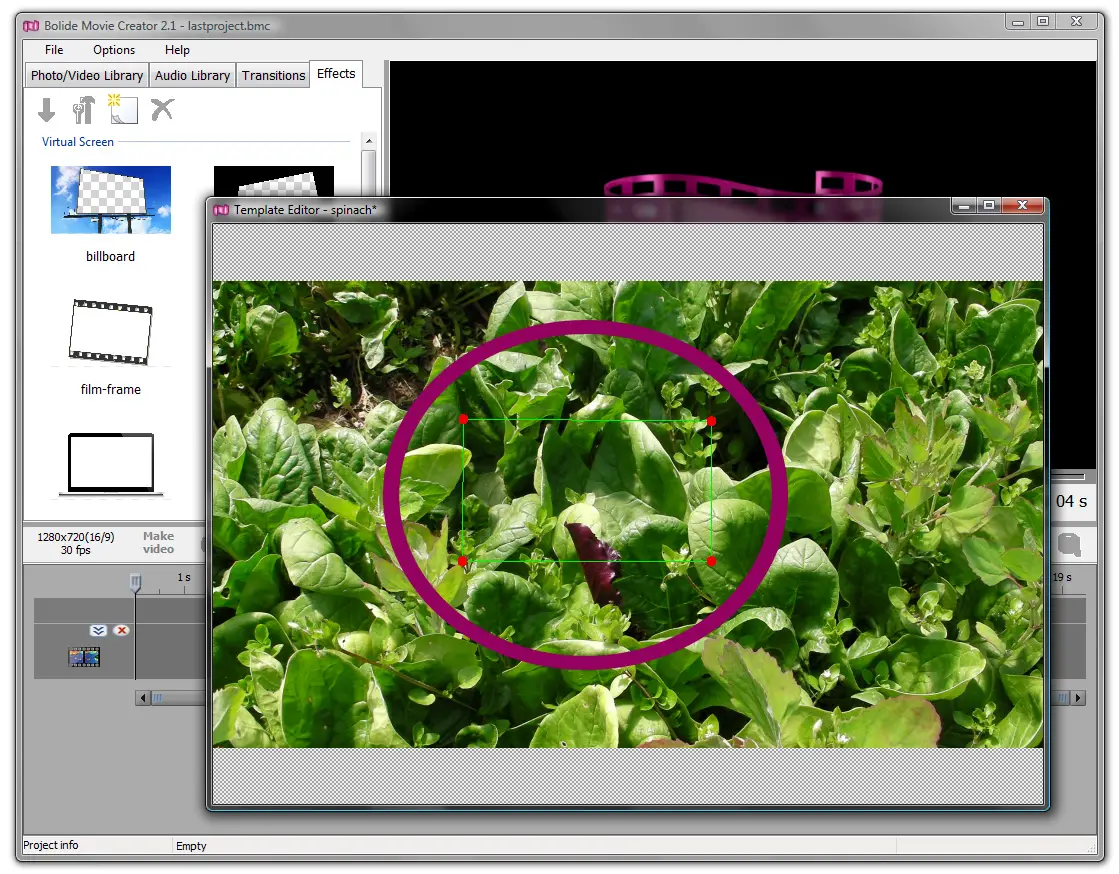
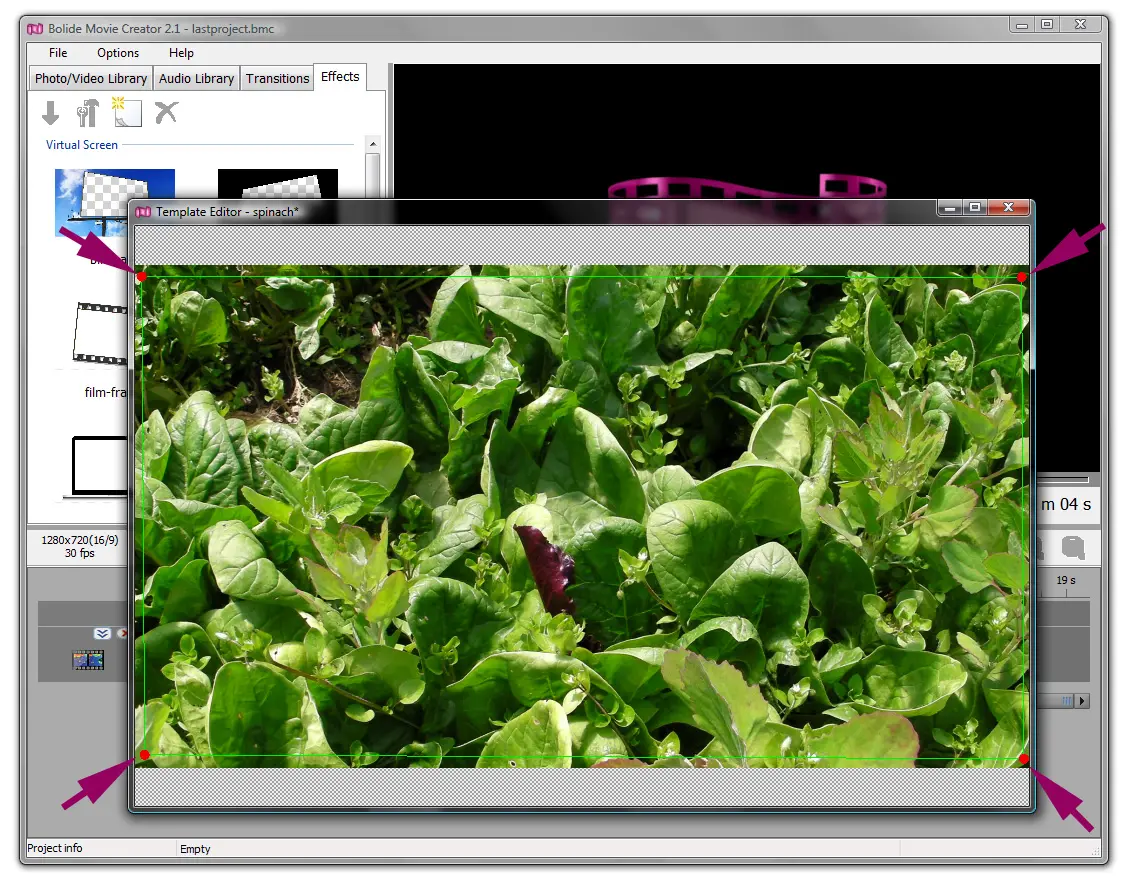
- On the More tab click Create a new template from an image and choose the picture. It opens in the Template Editor window, and the template is saved right away under the picture's file name.
-
Notice the green quadrilateral with red dots in the corners? It marks where the video will be shown — the knockout. Drag the corner dots to fit the shape to the screen area in the picture. You can also drag a side to move just that edge, or drag inside the shape to move it as a whole.
- The Image over the video checkbox sets the order of layers. When it is off (the default), the video is drawn on top of the picture inside the quadrilateral. When it is on, the picture is drawn on top of the video, and the video shows through the transparent areas of the picture.
- The editor toolbar also has Replace template image: it swaps the picture and keeps the quadrilateral.
- After your changes click Save template. While there are unsaved changes, the window title ends with an asterisk. If you close the editor without saving, the program asks "Save your template?".
- The new template appears in the list on the More tab and is applied just like a ready-made one.
Good to know
To change a template, select its tile and click Edit selected template, or simply double-click the tile. After you save, all blocks in the project that use this template are updated. Delete selected item deletes the template. You can rearrange the tiles in the list by dragging them.
Virtual Screen can be combined on the same block with pan and zoom, Arbitrary crop and zoom and rotation and flipping: for example, you can crop a clip first and then show the cropped part inside the screen. A block can have only one Virtual Screen template; dropping another template on it replaces the old one. Effects from the Effects tab can be added too, see Video Effects.
Back to Video Editing Guide.