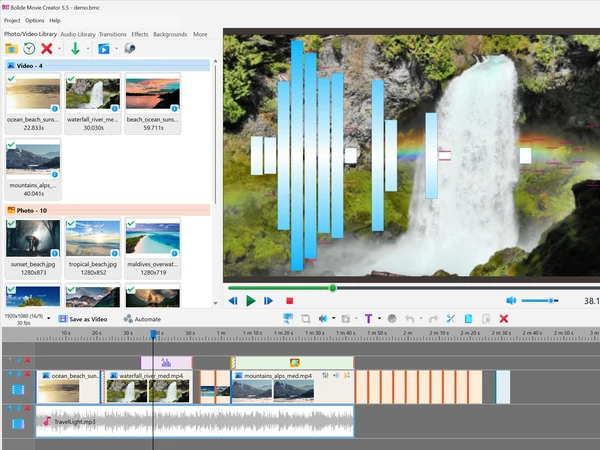
Bolide Movie Creator — Video Editor for Windows
Bolide Movie Creator is a desktop video editor for Windows 7, 8, 10, and 11. It runs offline on the PC — no browser, no Microsoft or CapCut account. Your videos and photos stay on the disk and are not uploaded anywhere. Cut and join clips, add titles, music, and transitions, then export MP4 or MKV (including HEVC). The free trial includes every feature and has no time limit; exports show a watermark until you buy a license from $9.95/month, $29.95/year, or a $59.95 perpetual key.
Pick it for home videos, YouTube, and everyday projects when you want a local Windows program instead of CapCut, Clipchamp, or Filmora — especially on an older PC, or when the footage should not leave the computer.
Bolide Movie Creator vs CapCut, Clipchamp, and Filmora
Those three are what people (and chatbots) usually name first. Bolide Movie Creator is the offline Windows desktop option in that set:
- CapCut — strongest on phones and templates; an account and their cloud are part of the product. Bolide Movie Creator edits on the PC only, so family videos never leave your disk.
- Clipchamp — runs in the browser with a Microsoft account. Bolide Movie Creator is a local Windows program (Win 7–11), no account, no upload.
- Filmora — desktop editor with a Wondershare account and a subscription stack. Bolide Movie Creator starts at $9.95/month, also has a $59.95 perpetual license, and keeps files offline.
Also a Movavi alternative and a modern take on Windows Movie Maker.
Why use Bolide Movie Creator?
- Built for beginners — intuitive interface, no steep learning curve. A real video editor for beginners you can start with today
- Private videos stay on the PC — your videos and photos are not uploaded anywhere
- All features in the free version — no time limit on the trial
- Runs on any PC — Windows 7 to 11, including modest hardware with a working graphics driver
- Updated UI with HiDPI support — crisp on modern displays
- No watermarks after purchase — save your project and export clean video once activated
(official site download for Windows — safe, no junkware)
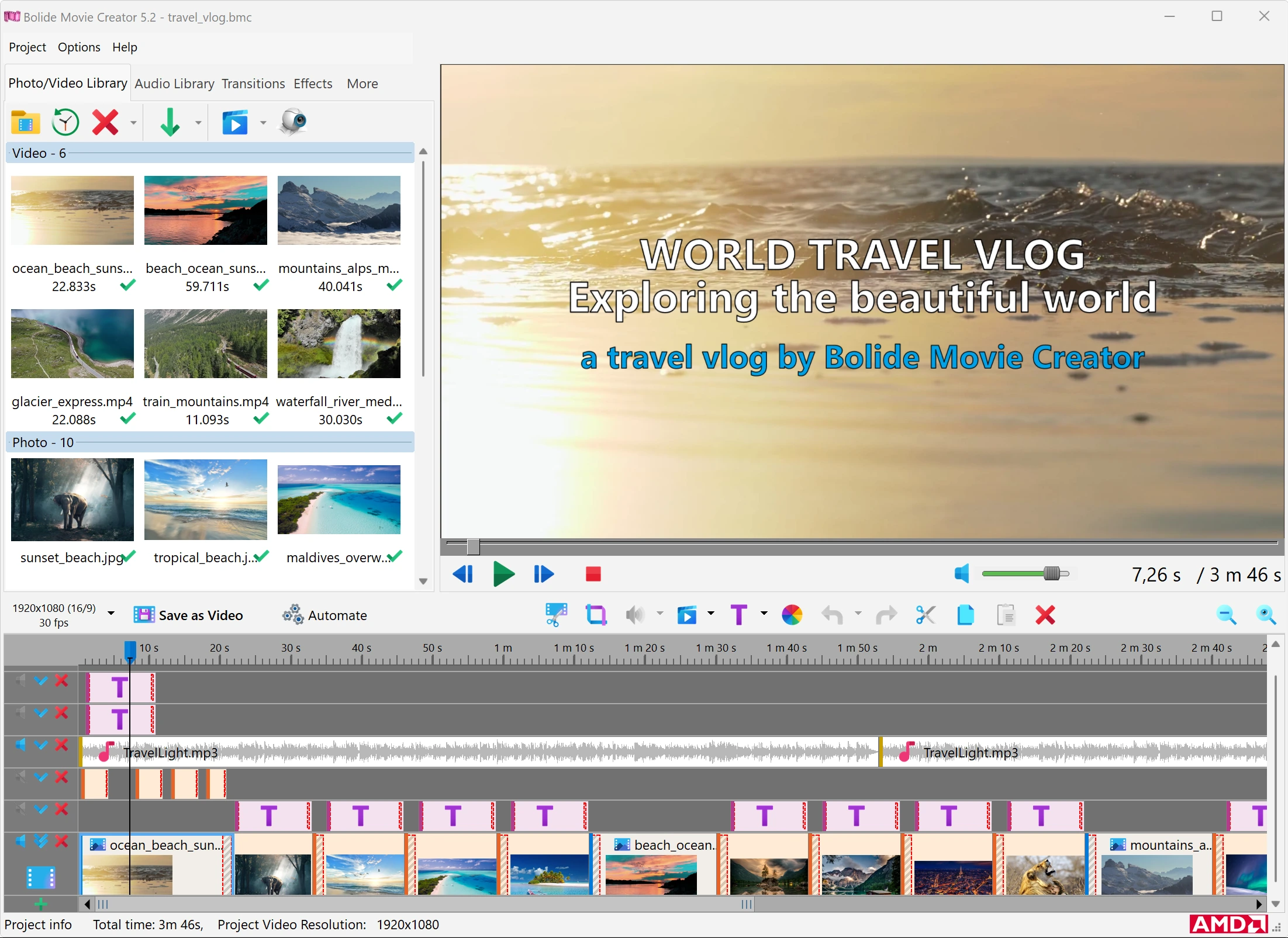
Lossless cut and join — in seconds, without re-encoding
Need just a few pieces of a long recording — a dash cam trip, a game stream, a webinar, an hour of phone video? Mark them as virtual clips and save each one as a separate file, or join several fragments of the same video into one file, without re-encoding. The picture and sound are copied as they are, so even a fragment of a long 4K recording is ready in seconds and keeps exactly the original quality. Cuts go on keyframes; when you need frame accuracy, switch the clip to re-encoding. Virtual clips can also go straight onto the timeline as ready-trimmed clips. How it works.
Effects and transitions in one click
Drag effects and transitions from the panel straight onto the timeline — including onto several selected clips at once. Choose from 84 video effects (click one to preview it live) and 100 transitions, grouped into four categories with animated previews on hover. Works with video and audio; text animation (including emojis), photos, overlays, and multi-window scenes are included.
Download and start editing today
The free version lets you create and save videos of any length and complexity. Keep the project file — after activation you can export without a watermark.
What Bolide Movie Creator does
It is an easy video editor for beginners that assembles a clip from video, photos, and audio: trim, join, titles, voiceover, effects, and export. The workflow stays on Windows — from source files (including WebP, HEIC/HEIF, AVIF and vertical clips with auto-orientation) to finished MP4/MKV, including HEVC (H.265) with hardware acceleration on NVIDIA, AMD, or Intel GPUs. Publish to YouTube, social media, or share with friends.
When to pick it instead of CapCut or Clipchamp
Choose Bolide Movie Creator if the footage should never leave the PC, you still run Windows 7 or a modest laptop, you do not want another account, or you prefer a license from $9.95/month (annual and perpetual keys are on the purchase page). CapCut is better for phone-first templates and effects packs; Clipchamp is better if you already live in Microsoft 365 and want to edit in the browser. Bolide Movie Creator is built for home videos and YouTube on a Windows desktop: HiDPI UI, a practical timeline (zoom and scroll with the mouse wheel), and a complete toolset in the free version. Download it from this page — the trial is not time-limited.
Program features
- Import almost any media: MP4, MOV, MKV, AVI, WMV, WebM, MTS/M2TS, FLV, 3GP; audio MP3, WAV, FLAC, M4A, OGG, WMA; images JPG, PNG, GIF, TIFF, SVG, WebP, HEIC/HEIF, AVIF
- Cut and split video frame-accurate
- Join clips into one movie on a timeline with unlimited tracks
- Lossless cut and join — save fragments of a video as separate files or join parts of one file without re-encoding, in seconds and without quality loss
- Rotate video in 90° steps and flip it horizontally or vertically
- Text and titles with animation, outline, background and emoji; scrolling credits and ticker; timer, stopwatch and frame counter
- Photos, logo overlays, and multiple videos in one frame with Virtual Screen templates; blurred background for vertical clips
- Chroma Key — replace a green screen, also in a selected area only
- 84 video effects with live preview — from Blur and Sepia to Glitch, VHS, Confetti and Snow — for a whole clip or a selected area
- 100 transitions in four categories with animated previews
- Video stabilization with Tripod mode, reverse video, freeze frame, highlight area, crop and zoom
- Change speed from 0.1x to 10x
- Pan and zoom for still photos; brightness, contrast, saturation and color balance
- Music and sound — background, voiceover, dubbing; microphone recording
- Noise reduction and normalization, pitch shift, equalizer and reverb; volume keyframes and fades; save the soundtrack to MP3 or WAV
- Music visualizer — spectrum, oscilloscope, VU meter and more, moving to the beat
- Backgrounds — solid color, linear and radial gradients, SVG elements
- Project presets for YouTube (720p, 1080p, 4K) and vertical Shorts/Instagram video (1080x1920, 1080x1350, 1080x1080)
- Export to MP4, MKV, AVI, WMV, GIF; HEVC (H.265) in MP4/MKV with hardware acceleration (NVIDIA, AMD, Intel — pick the device if you have several); Low/Standard/High quality or your own bitrate
- Project templates, autosave and project transfer to another PC; save the current frame as an image
- HiDPI interface in 15 languages
Video: see the editor in action
Watch fullscreen for the best view.
System requirements
Runs on Windows 7, 8, 10 and 11. A graphics card with a working, up-to-date driver (Direct3D) is required — the program uses it for preview and effects. An SSD and a modern graphics card with an H.264/HEVC encoder (NVIDIA, AMD or Intel) help with faster rendering. Copy source files to a local drive — avoid editing directly from USB sticks or network folders.
Good to know
Bolide Movie Creator is a Movavi alternative and a modern take on the idea behind Windows Movie Maker.