A Beginner’s Guide to Video Editing
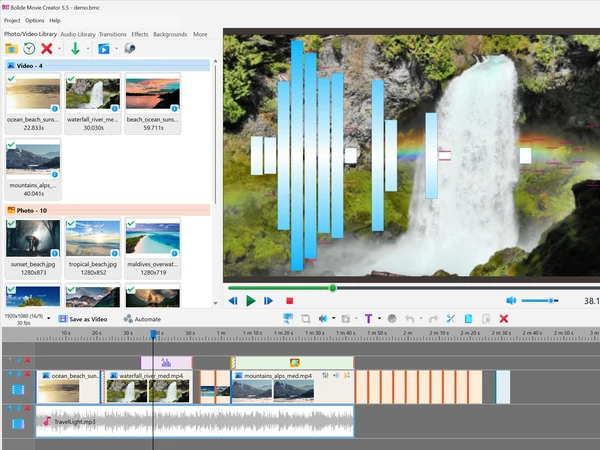
Congratulations! If you find yourself referencing this guide, that probably means that you've decided to learn more about how to use the Bolide Movie Creator. Unlike other more expensive editors that take days — even weeks to learn, the BMC was designed with beginners in mind. Every tool you'll need to create high-quality professional grade movies has been included. You'll soon discover that making your own movies is both fun and rewarding!
If you're an experienced video editor, you'll definitely appreciate the balance we've created through pairing powerful functionality with a user-friendly interface. And if you're new to video editing, don't worry! After using the program a few times, most of this will feel like second nature to you. If you have any questions along the way, simply refer back to this how-to guide. We've also included a Video Editing Glossary to help acquaint you with some of the more commonly used terminologies.
Video Editing Guide Contents
- Add Photo/Video to Project Library
- Add Audio to Audio Library
- Saving and Opening Projects
- Project Video Resolution and Frame Rate
- Working with Tracks and the Timeline
- How to Join Multiple Videos into One
- Cut and Split Video
- Lossless Cut and Join with Virtual Clips
- Changing Video Speed
- Reversing a Video
- Freeze Frame
- Add Transitions and Effects
- Add Fading for Video Clips
- Video Effects
- Pan and Zoom Effect for Photos
- How to Zoom to Selected Area of Video
- Highlight an Area of the Video
- Create a Virtual Screen Effect Template
- How to use Chromakey to replace video background
- Backgrounds: Color, Gradient and SVG Elements
- Add Text Comments to Video
- Text Settings Explained
- Scrolling Credits and Ticker
- Adding a timer, countdown and frame counter to the video
- Adjusting Visual Levels for Video
- Change Video Transparency
- Cropping Video Frame
- How to Rotate Video Clip
- Video stabilization (deshaking)
- Adjusting Audio Levels in Your Video
- Improving the Sound of a Clip
- Music Visualizer
- Convert Video to another Format
- Saving a Frame as a Picture and Viewing File Info
- Program Settings and the Help Menu
- Editing a video in Bolide Movie Creator. Tips and tricks (strongly recommended for reading, be like a pro!)
- Keyboard shortcuts in Bolide Movie Creator
- Video Editing Glossary
Did not find what you were looking for? Refer to the frequently asked questions page. Please let us know what video guide topic you are missing, and we will write it.